 NUILab Documents
Help / Start here / Reset your password (and find your username)
Start here
Reset your password (and find your username)
Locked out or forgot your password? Recover your NUILab account yourself in a couple of minutes — plus how to find your username.
Your one NUILab account — a username and a password — signs you into most lab apps and into the lab machines over SSH. If you’re locked out or you’ve forgotten your password, you can recover it yourself in a couple of minutes. No admin needed.
Your username
Your username is f.lastname — your first initial, a dot, then your last name, all lowercase.
So Jane Doe is j.doe. It never changes and it’s the same everywhere (web apps and SSH).
Not sure which it is? You don’t need it to recover — the reset page below also accepts your email.
Forgot your password, or locked out?
Go to reset.nuilab.org (opens in new tab) .
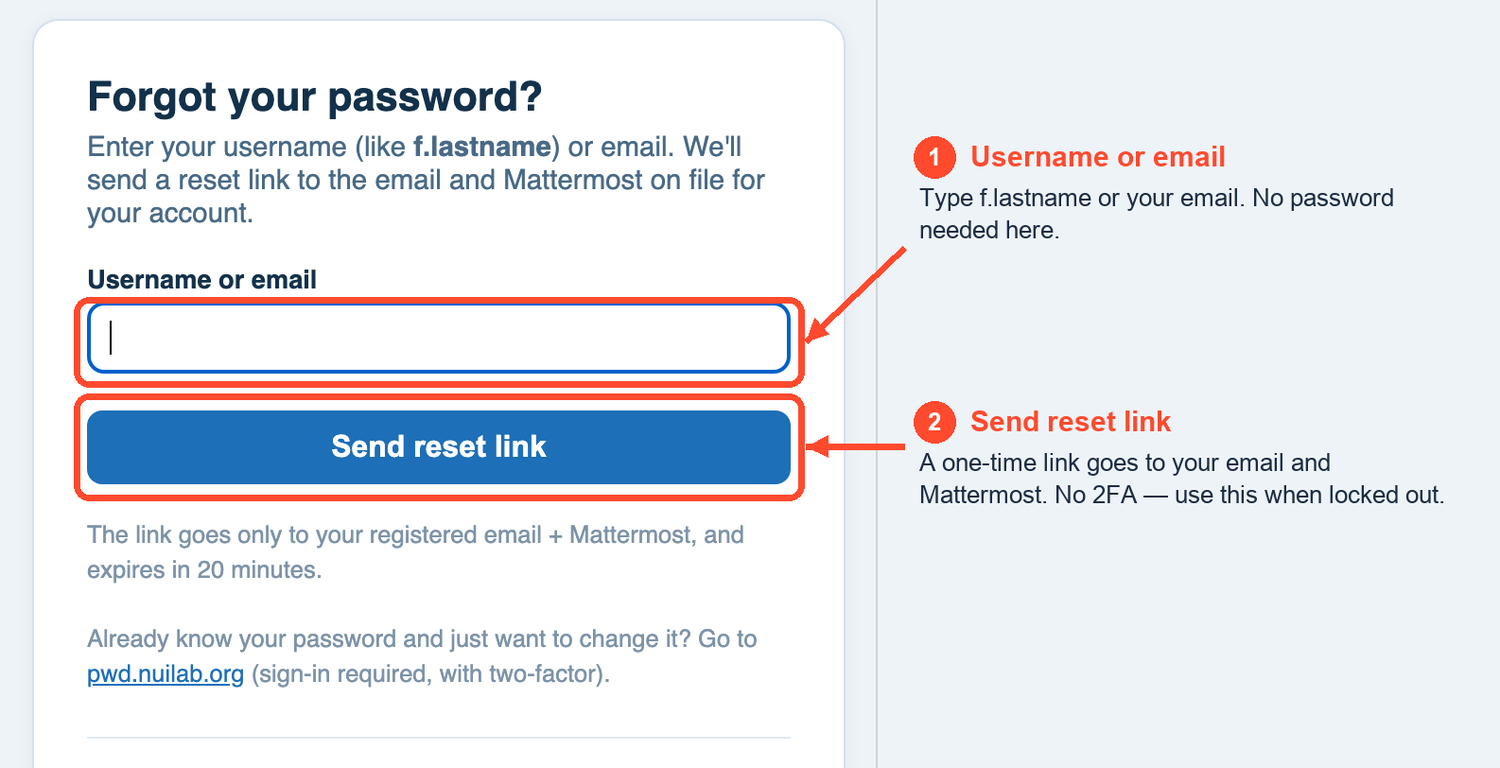
- Enter your username (
f.lastname) or your email, then click Send reset link. - A one-time reset link is sent to both your email and your Mattermost — use whichever you can reach.
- Open the link (good for 20 minutes) and set a new password.
That password works everywhere, immediately — every lab web app and SSH. There’s no two-factor on this page, so it’s the one to use when you’re stuck. If a link ever looks expired, just request a fresh one.
The reset message also lists any separate-login apps you have (Chat, Metrics, Sign) and how to recover those, since they keep their own passwords.
Know your password and just want to change it?
Go to pwd.nuilab.org (opens in new tab) (you sign in first, with two-factor). One change updates everything — apps and SSH.
Log into machines without a password (SSH keys)
At pwd.nuilab.org/keys (opens in new tab)
you can paste your public key
(usually ~/.ssh/id_ed25519.pub). Once added it works on every lab machine you’re granted — no
password prompt. Paste the public key only, never the private one.
It’s optional — password login keeps working either way.
New to keys, on Windows, or getting an error when you paste? See SSH keys (and how not to lock yourself out) .
If your account has git access, the same key is also copied to git.nuilab.org (opens in new tab) within about 10 minutes, so one paste covers both. Removing it here removes that copy too. See Git — code hosting .
Still stuck?
Message Francisco on Mattermost. For the big picture of what shares your one account, see How the lab systems connect .
Source: content/onboarding/reset-password.md · maintained in the lab docs repository.